Free OpenCode models, for real.
Big Pickle, DeepSeek V4.1 Flash Free, GLM-5.3 Flash Free, Nemotron — they only run inside OpenCode, so Bridge runs them in a private OpenCode agent. No key, no tricks.
 OpenCode Bridge
Download
OpenCode Bridge
Download
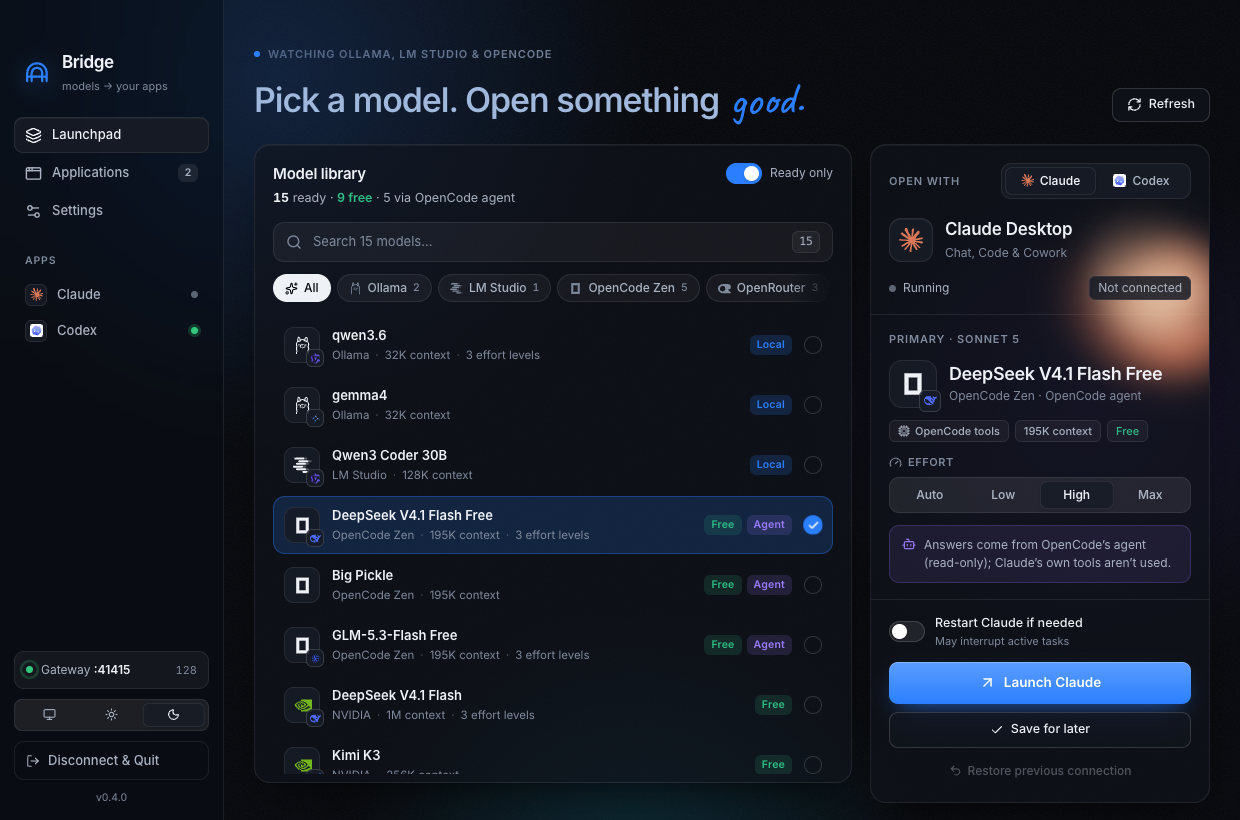
Run free OpenCode Zen models, Ollama, LM Studio, OpenRouter and NVIDIA inside Claude Desktop and Codex. Claude keeps its own model names — the model you pick answers, at the effort you choose.
Works with the models and apps you already use
What it unlocks
Big Pickle, DeepSeek V4.1 Flash Free, GLM-5.3 Flash Free, Nemotron — they only run inside OpenCode, so Bridge runs them in a private OpenCode agent. No key, no tricks.
Claude still shows Sonnet 5, Opus 5, Haiku 4.5, Fable 5 and Sonnet 4.6. You choose what answers each one — with its own effort, from Low to Max.
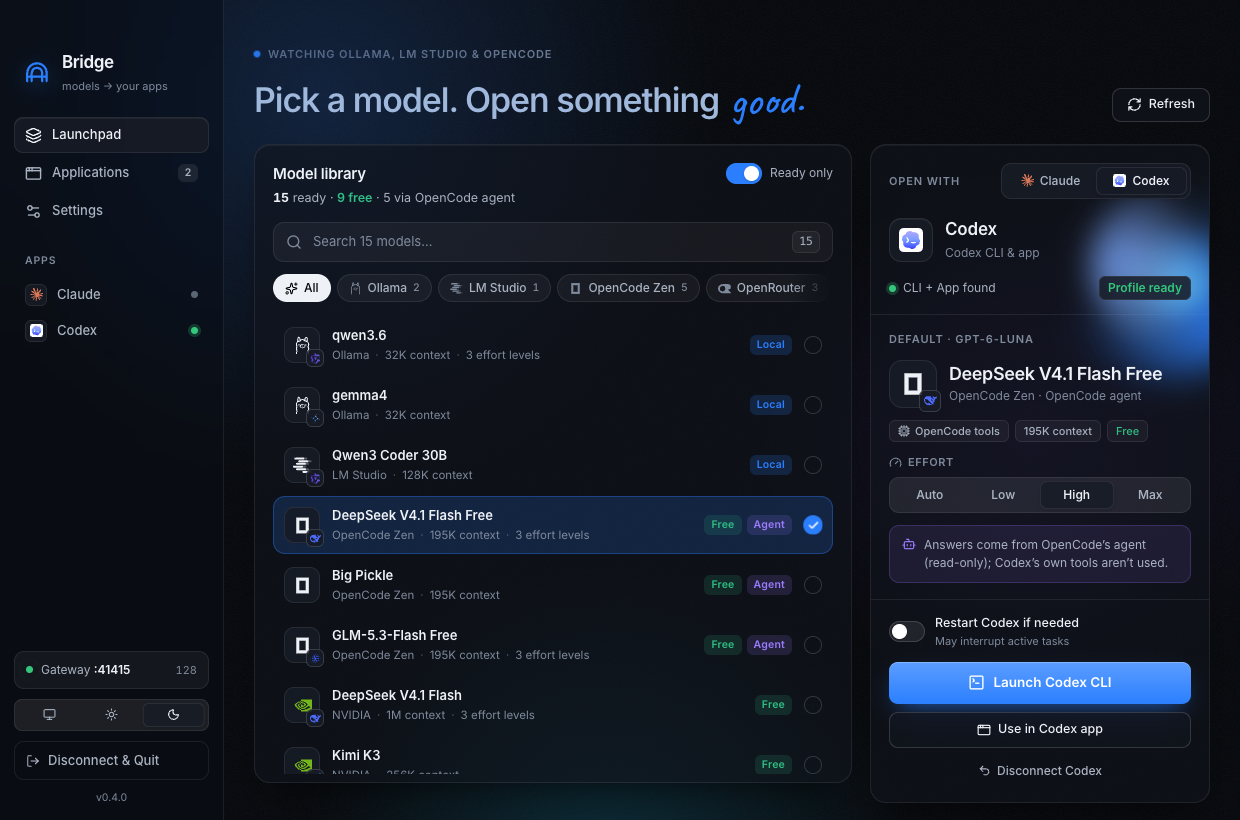
Codex keeps showing GPT-6-Luna, GPT-5.6-Terra… while the backends you choose answer, each at its own effort. Undo restores your config line-for-line.
How it works
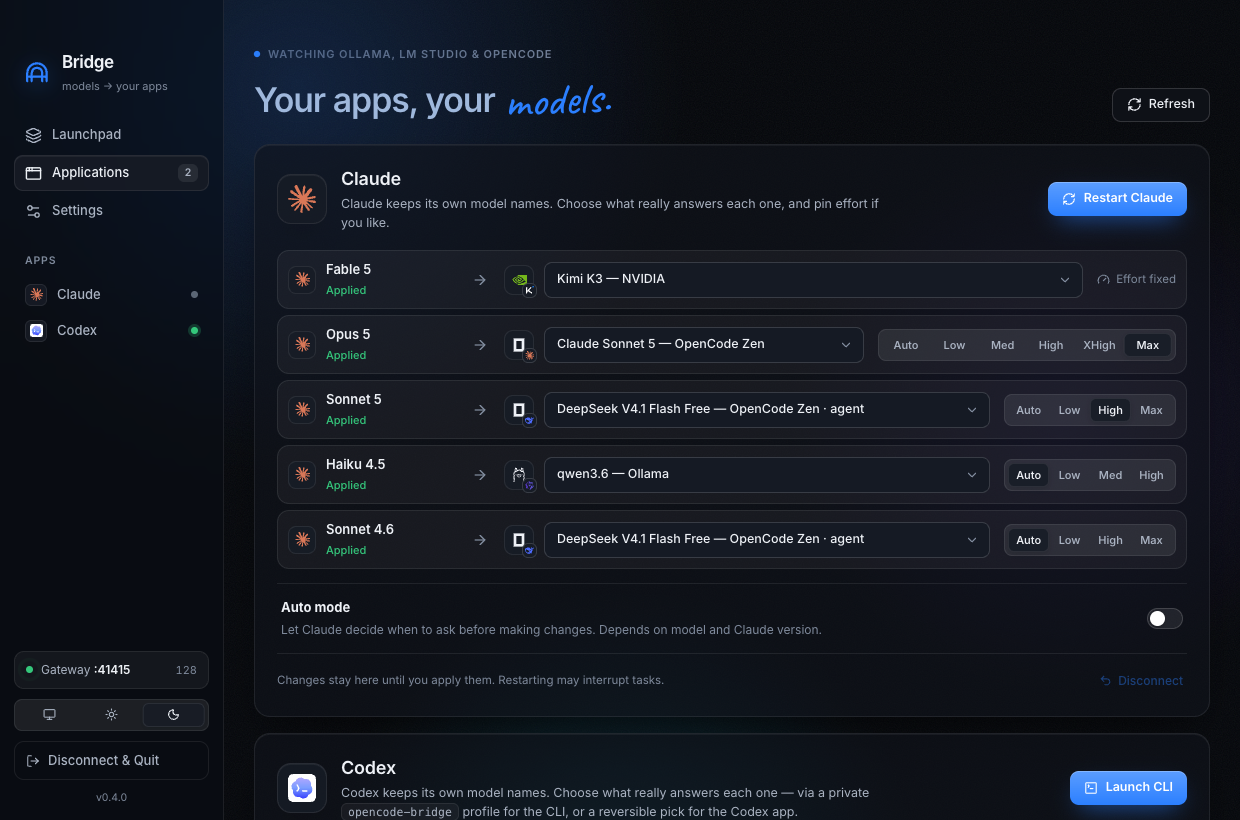
Every model from OpenCode, Ollama and LM Studio — free, local and agent models clearly badged. New downloads appear on their own.
Point each Claude model name at any backend and pin Low → Max. Requests snap to levels the model really supports.
Open Claude or Codex on your model. Restore puts everything back exactly — journaled before a single byte changes.
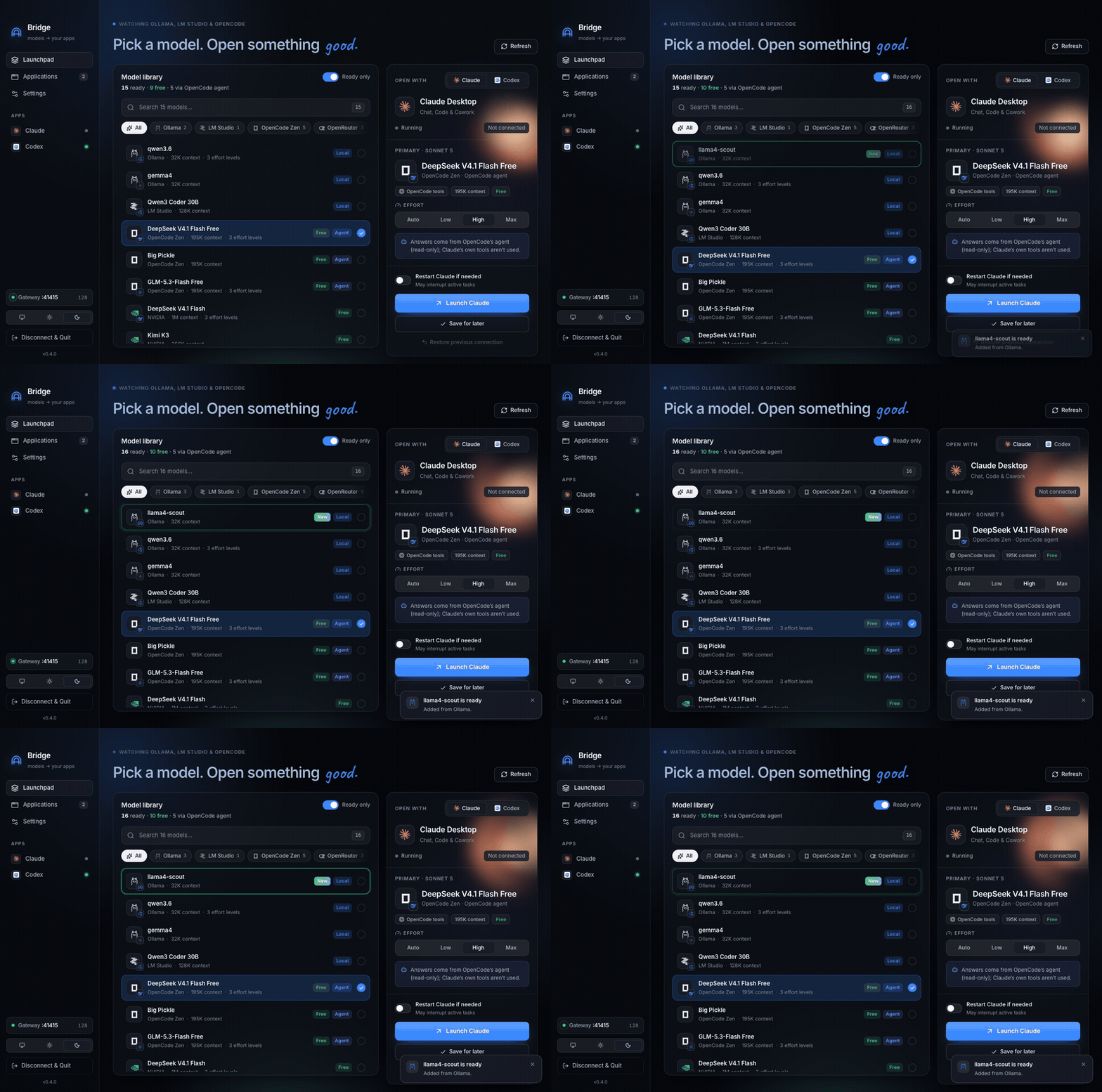
Live library
Bridge fingerprints Ollama, LM Studio and OpenCode every few seconds. ollama pull, an LM Studio download or a newly connected provider slides into the library — no refresh button required.
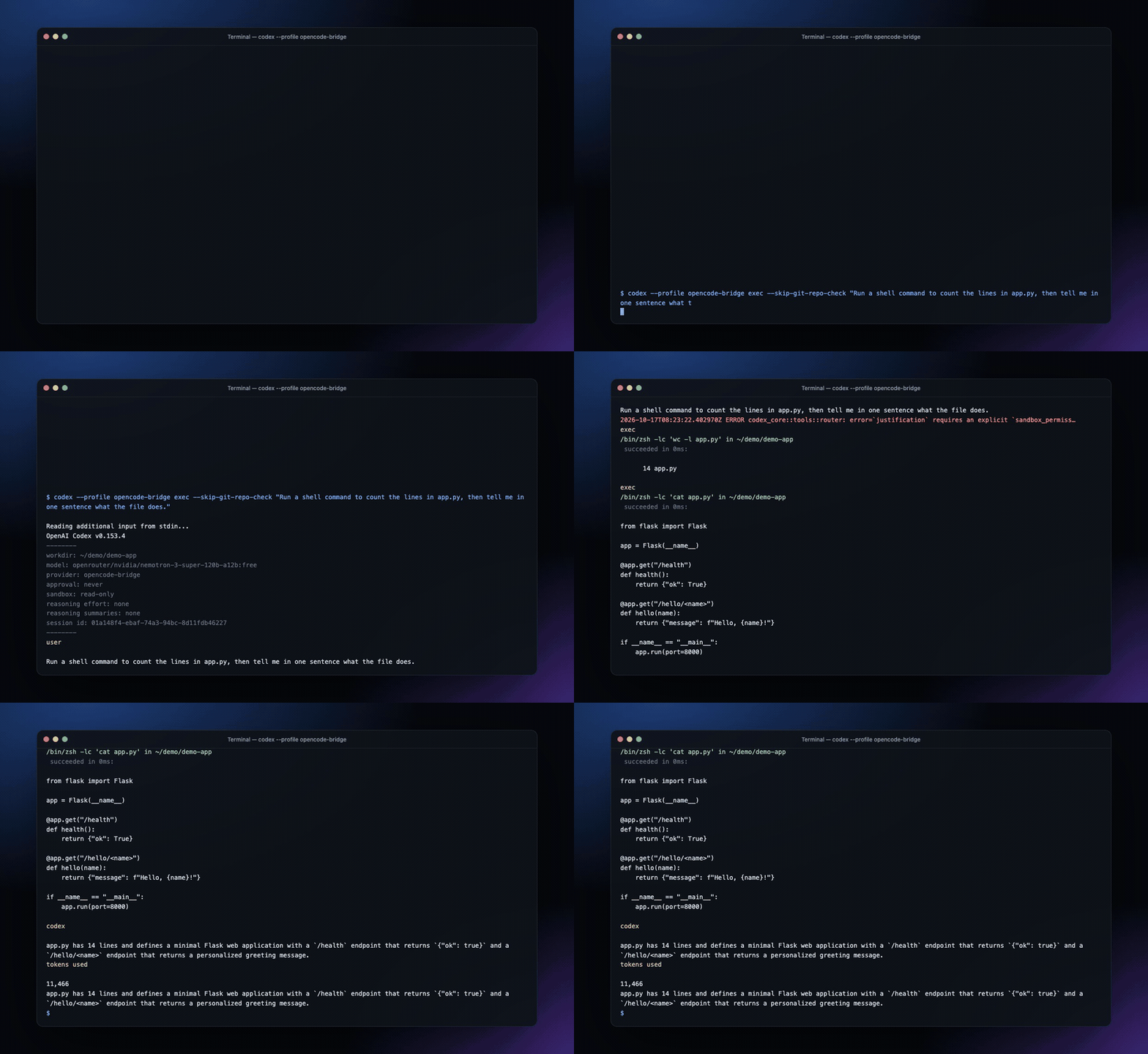
Recorded session · real output
Codex CLI → OpenCode Bridge → OpenRouter’s free Nemotron 3 Super. Codex ran its own shell tools through the Responses ⇄ Messages translation.
Light & dark
Glass panels, real provider logos and spring motion — in both themes, synced with macOS. Drag to compare.
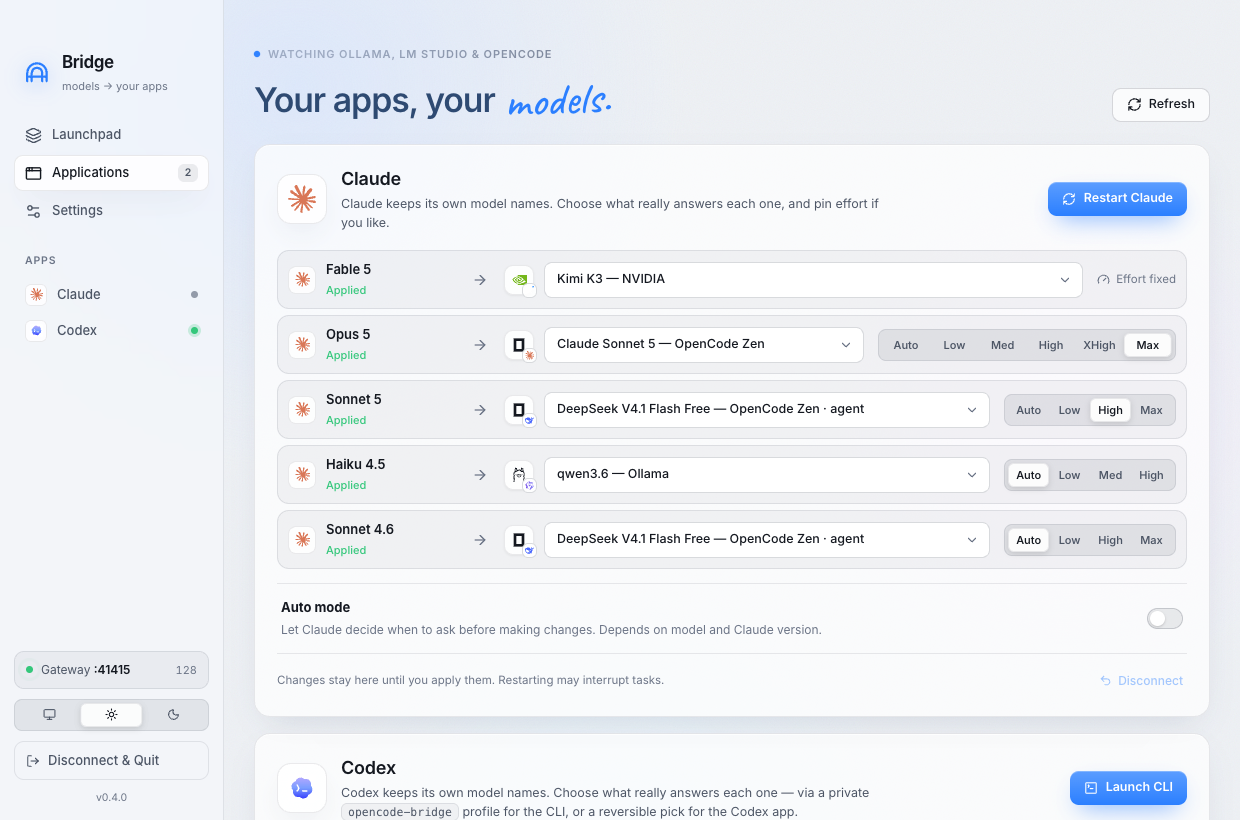
Built carefully
Pin an effort for each Claude model name or for Codex. Unsupported levels map to the nearest real one — never silently dropped.
Native Anthropic endpoints. LM Studio’s server starts and loads your model on launch. Nothing downloads by browsing.
Agent models run OpenCode’s own tools under your policy — edit & run in your project by default, read-only, or full access.
127.0.0.1, Host checks, a random 256-bit token, and a password-protected OpenCode server. Keys stay in OpenCode.
Claude and Codex edits are journaled before any write. Restore detects outside edits and refuses to clobber them.
init, launch, status, restore — everything the app does, scriptable.
From source
Three commands. Node 22+ and the OpenCode CLI are all you need.
$ git clone https://github.com/satiricalguru/Opencode-bridge.git
$ cd Opencode-bridge && npm install
$ npm run app
v0.4.2 · Apple Silicon
For macOS on Apple Silicon. Free and open source under MIT.
Unsigned build — the first time, right-click the app → Open.
SHA-256 2d3af3bf…f995c8638